ShopFront Design System

The design
foundation for
serious
Shopify work.

An enterprise-grade Figma system for Shopify Plus — 2,847 components across 106 pages, Dawn, Horizon, and Broadcast themes, with full token-to-scheme mapping and AI-ready architecture. Built for teams who can't afford inconsistency.

Token → scheme mapping Live
TokenSurface/Canvas/primary
Schemebackground_1
TokenText & Icon/primary
Schemecolor_scheme.text
TokenSurface/Buttons/primary
Schemebutton_label
TokenBorder/Controls/focus
Schemecolor_scheme.accent
TokenSettings/Radius/Button
Schemeinput_border_radius
Design decisions map directly to Shopify theme settings — no translation layer required.
2,847
Components across 106 pages
3
Theme families
75%
Less wireframe time
Brands it adapts to
ShopFront component grid — 2,847 components across the full Shopify design stack
Built to use

From wireframe to
finished product.

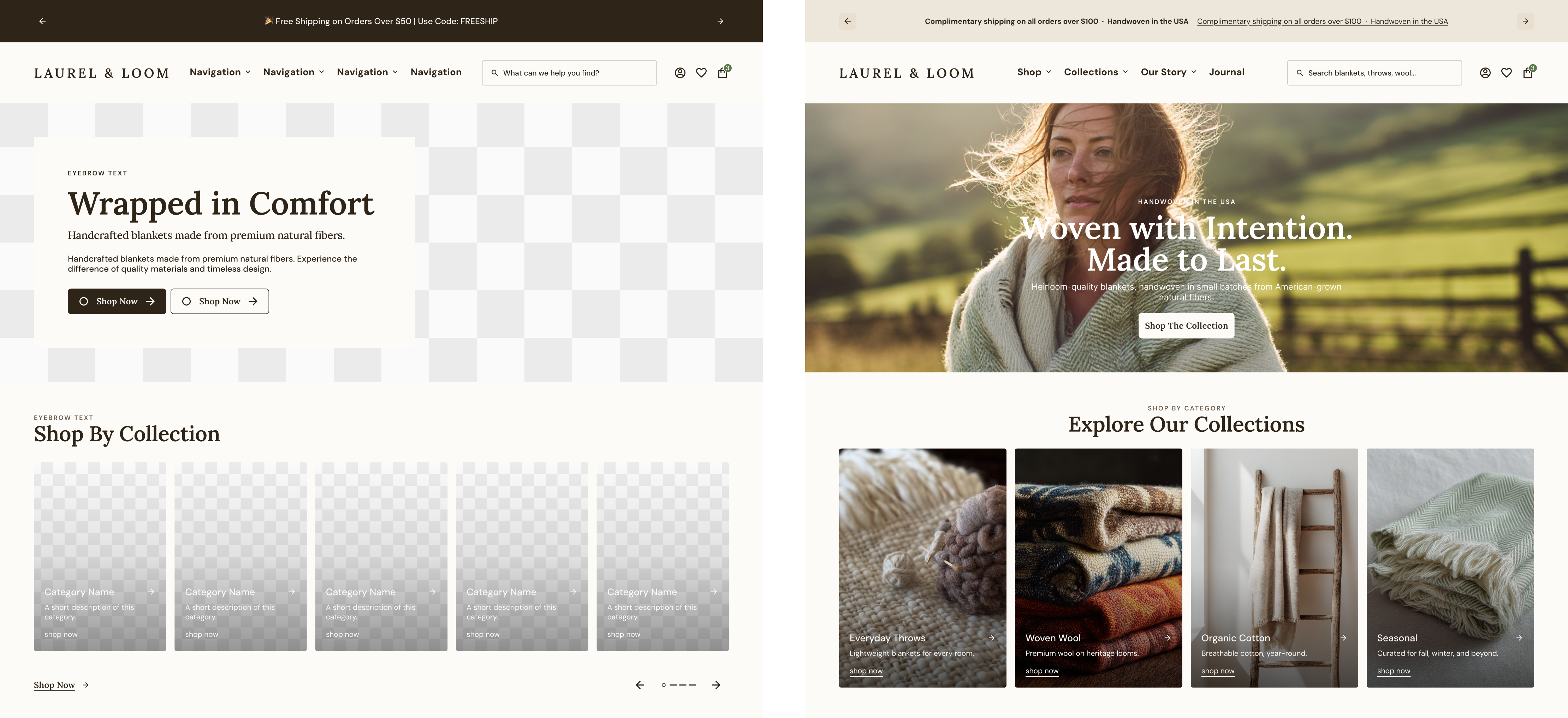
Start with structure — wireframe layouts that map to real Shopify sections. Apply brand tokens and the same components become production-quality UI. One system from first sketch to final handoff.

ShopFront wire to design

This wireframe (only partially shown here) was produced within 1 minute and the design was produced in ~1 hour with some light direction. All the elements and sections are tied directly to the design system's variables styles and components.

Live component demo

Just one component
of 2,847.

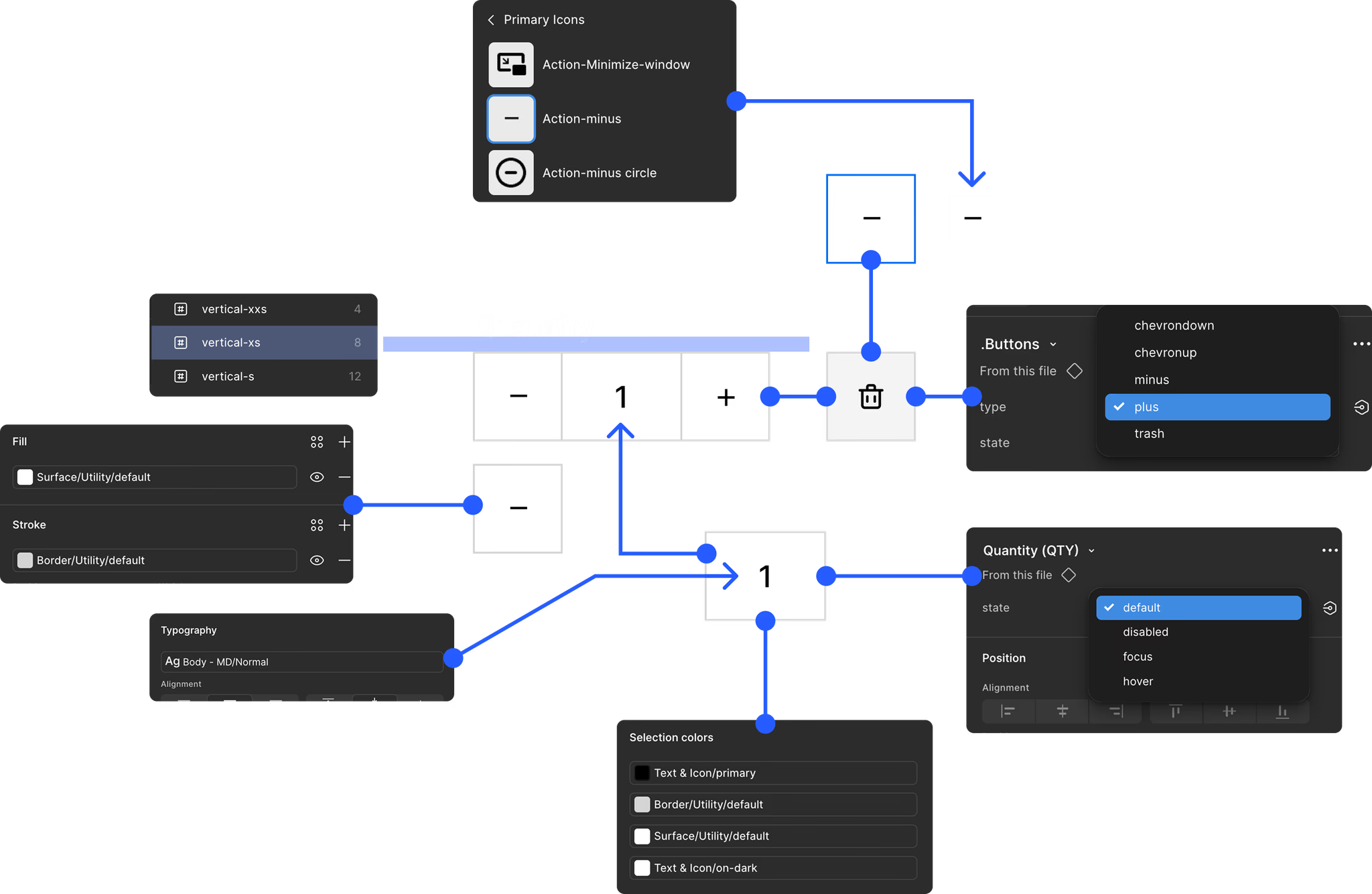
Toggle properties, change the ratio, swap content — this is exactly how the component behaves in Figma. Every toggle maps to a real component property. ↓ Try it

Preview
NEW
+4
32
Product Name
A short description about the product.
$50
231 In Stock
Cards / Product / Grid / Master
ratio
show_quick_add
show_rating
show_variant_options
show_price
show_description
show_availability
show_compare
show_vendor
show_sku
product.title
product.description
product.vendor
The core advantage

Tokens that map directly
to Shopify schemes.

Most Figma systems live in isolation from code. ShopFront tokens are structured to mirror Shopify's color scheme system — so every design decision maps to implementation without a translation layer or a second conversation.

ShopFront token structure — variables mapped to Shopify scheme settings
For design teams
Work in Figma. Ship to Shopify. No guesswork.

Every token — surface, text, border, radius, spacing — has a corresponding Shopify scheme variable. When the design changes, the developer knows exactly what changes in code.

color_scheme mapping Section settings Theme settings Metafields Headless
For development teams
Handoff that lands. Fewer tickets, faster builds.

Shopify-native naming means developers see design intent immediately — paddings, radii, scheme slots, font roles. Fewer rounds of back-and-forth, fewer interpretation errors.

Shopify-aligned naming Reduced rework Faster builds Code-gen ready
Where time goes

The work that budget
and timelines always cut.

Variable setup. Metaobject schemas. Token-to-scheme mapping. Component documentation. On most Shopify projects, these are the first things descoped — and they never come back. That's where inconsistency gets baked in, and where every future change gets harder.

ShopFront ships with all of it pre-solved. Your team starts at a higher floor than most projects ever reach.

Variable setup
Shopify color scheme variables, surface roles, and state tokens — structured and named from day one.
Metaobject mapping
Schema definitions, field naming, and section mappings — the hidden complexity that eats hours when left to each project.
Token → scheme output
Every design decision maps directly to a Shopify theme setting. No translation layer. No second conversation with dev.
Component documentation
Usage rules, variant logic, and handoff notes built in — not deferred to whoever has time.
What's inside

Every layer of the
Shopify design stack.

ShopFront covers the full surface area — tokens, components, checkout, account flows, Shopify sections, and documentation. Built for Shopify Plus and headless alike.

Image placeholder
01 — Foundation
Fully tokenized system
Three-tier model: primitives → semantic → component. Every decision bound to a variable. Light and dark mode throughout.
Image placeholder
02 — Themes
Theme-ready & theme-agnostic
Ships with Dawn and Horizon support built in. Just as effective for fully custom themes and headless builds — the token layer doesn't depend on any one theme.
ShopFront checkout pages
03 — Checkout
Complete checkout + account
Ships as a standalone Figma library file — checkout and account flows mapped to Shopify-owned variables. Includes AI instructions to connect your core system file to the checkout file automatically.
Image placeholder
04 — Components
2,847 flexible components
Pre-configured with variants, states, and device optimizations. Ready to adapt to any brand on day one.
Image placeholder
05 — Sections
Shopify section architecture
Section-aware structure that mirrors how Shopify themes are actually built — design maps to section settings, not just pixels.
Image placeholder
06 — AI-ready
Built for AI workflows
Embedded rules, skill files, and session protocols keep output consistent whether a human or an AI is driving the work.
ShopFront variables and brand cards
How it works

From one Figma file
to a live system.

Your license provisions a dedicated skill server tied to a single master file. Publish it as a library, connect AI tools, and run the system from the plugin — or the CLI. The foundation work is already done — variables, schemas, token mapping, documentation — so your team skips the setup that usually gets cut and starts building immediately.

01
Plugin
The ShopFront plugin is the control center — a theme controller, skill runner, AI chat, and CLI in one panel. Everything starts here.
02
Access key
Your key authenticates the plugin and provisions a dedicated server tied to your master design system file. Publish it as a Figma library — unlimited designers per license.
03
Skill server
A private server hosts skills and documentation specific to your version. Push custom skills, pull updates — your AI tools read from here.
04
AI layer
Use the plugin's built-in chat or connect your own AI tool via API key. Both read from the same skill server — same skills, same docs, same output.
ShopFront plugin interface
The plugin

One plugin. One key.
Your own server.

Each license provisions a dedicated skill server tied to a single Figma file. Your team connects through the plugin — no setup, no devops, no shared infrastructure.

The plugin More than a library browser — it's the operating layer
Theme controller
Skin the entire design system to any brand. Swap tokens, update schemes, and preview the result — all without touching individual components.
Skill engine
Store, browse, and execute skills directly from the plugin. Apply metaobject naming, enforce token usage, assemble pages — repeatable actions that stay consistent.
AI chat
Built-in AI chat connects via your own API key. Ask questions about usage, run skills through conversation, or get guidance without leaving Figma.
CLI access
Run skills and system commands from the command line. Power users and AI agents operate through the same interface — plugin optional, server required.
One master file
Each access key is scoped to one Figma file — the client's master design system. Publish it as a library so other team files can pull components, tokens, and styles directly from it.
Version-aware docs
Your server delivers documentation matched to the system version you're running. Skills and rules stay in sync as the system evolves.
Bring your own AI
The plugin chat is convenient, but not required. Connect any AI tool to your skill server — same skills, same guardrails, same results.
Two audiences, one system

Whether you build stores
or you are the store.

Licensed separately for agencies and brands. Same foundation, different leverage.

For agencies
Stop rebuilding a system for every client
  • One adapting foundation — no more starting from zero
  • Increase throughput without growing headcount
  • Purchase licenses for your clients through us
  • New designers operate inside guided structure immediately
  • Productize your process — build retainers around the system
  • Reduces premature redesigns and design debt for clients
Agency partners are approved via contract. Once approved, purchase a license per project or brand directly through us.
Apply for agency partnership →
For brands
Govern design across every team and vendor
  • All partners operate inside the same system constraints
  • Token enforcement keeps brand intact as the org scales
  • Design maps to Shopify implementation — less translation, fewer errors
  • Agility to pivot without triggering a full redesign
  • Tight control over AI-generated design output
  • Platform-agnostic — ready for headless or migration
Brands can purchase a license directly — no approval process required.
Buy a license →
New — self-serve access
Early access ShopFront Landing Pages — AI-powered, on-brand, Shopify-ready
Spin up on-brand landing pages in Figma — with AI.

Design teams get direct access to the ShopFront component library and AI integration layer to build Shopify-ready landing pages — without starting from scratch or hiring an agency.

  • AI-speed page assembly — brief to frame in minutes
  • Every component stays wired to your live design system
  • Change a token once — it cascades across your entire store
  • Precision control at every level, from brand to component
  • Native Shopify sections — no builder lock-in, no drift
Request early access
Performance lab landing page
ROI Calculator

What does it actually
cost you not to use it?

Enter your numbers. See the return across design, development, and ongoing usage — before you commit.

01 Design ShopFront saves ~50 hrs / project
$125/hr
6
02 Development Better specs save ~25 hrs / project
$150/hr
03 System maintenance ~12 hrs / month staying in sync
$125/hr
Design savings $30,000
Development savings $13,500
System maintenance $12,000
Total annual value
$55,500
License cost Per project
Est. net return (yr 1) $55,500+

Based on conservative estimates across design, dev, and system overhead. Excludes QA savings, revision reduction, consistency improvements at scale, and the cost of foundational work — variable setup, metaobject schemas, token mapping — that most projects never complete.

Get access →
FAQ

Common questions,
straight answers.

What do I actually get with a license?
A master Figma design system file with 2,847 components across 106 pages, a full token system, and access to a dedicated skill server. The file works as a publishable Figma library — your team pulls components, tokens, and styles from it into any project file. You also get the ShopFront plugin and AI integration layer.
How does agency licensing work?
Agencies apply for partnership and sign a contract. Once approved, you purchase a license per project or brand through us. Each license provisions a dedicated server and master file for that client. There's no limit on how many designers can work inside the file.
How does brand licensing work?
Brands can purchase a license directly — no approval process. You get your own master file and skill server. Every agency or vendor you work with operates inside your system, keeping design consistent across teams.
Does it only work with specific Shopify themes?
No. ShopFront ships with Dawn and Horizon support built in, but the token layer is theme-agnostic. It works equally well with fully custom themes and headless builds — Hydrogen, Next.js, or any frontend. The system doesn't depend on any single theme.
What about checkout and account pages?
Checkout and account flows ship as a separate standalone Figma library file, with components mapped to Shopify-owned variables. It includes AI instructions to connect your core system file to the checkout file automatically.
What does the plugin do?
The ShopFront plugin is a theme controller, skill engine, AI chat, and CLI in one panel. Use it to skin the design system to any brand, store and run skills (like applying metaobject naming or enforcing tokens), ask questions about usage, and execute commands. Your AI tool can also connect directly to the skill server — the plugin chat is convenient but not required.
Do I need to use a specific AI tool?
No. The plugin has built-in AI chat that connects via your own API key, but you can also connect any external AI tool to your skill server. Both read from the same skills and documentation — same output regardless of which tool you use.
Can I use it for wireframing?
Yes. The system works at every stage — start with structural wireframes that map to real Shopify sections, then apply brand tokens to bring them to production quality. You're never switching tools or rebuilding. The same components carry you from first sketch to final handoff.
Is it useful for CRO work?
Very. Because you're working within a controlled, token-bound system, every test variation stays on-brand and implementation-ready. No one-off mockups that break the system — every change maps to real Shopify settings. Faster iteration, cleaner handoff to dev, fewer regressions.
How many designers can use one license?
Unlimited. Each license is scoped to one Figma file, not a seat count. Add as many designers as you need — they all work inside the same system with the same tokens and skills.

The right foundation
on day one.

ShopFront gives design and development teams the structure to move fast, stay consistent, and build Shopify storefronts that scale.